NeedToMe AI Chat puts an AI consultant on your WordPress site. It answers visitors around the clock from what you teach it: your site pages and posts, the product catalog, documents, price lists and your own answers. It speaks the visitor’s language, collects leads and hands a dialog over to a person when a question needs one.
NeedToMe AI Chat 1.0.0 was tested with WordPress 7.1.4.
Try the chat right here
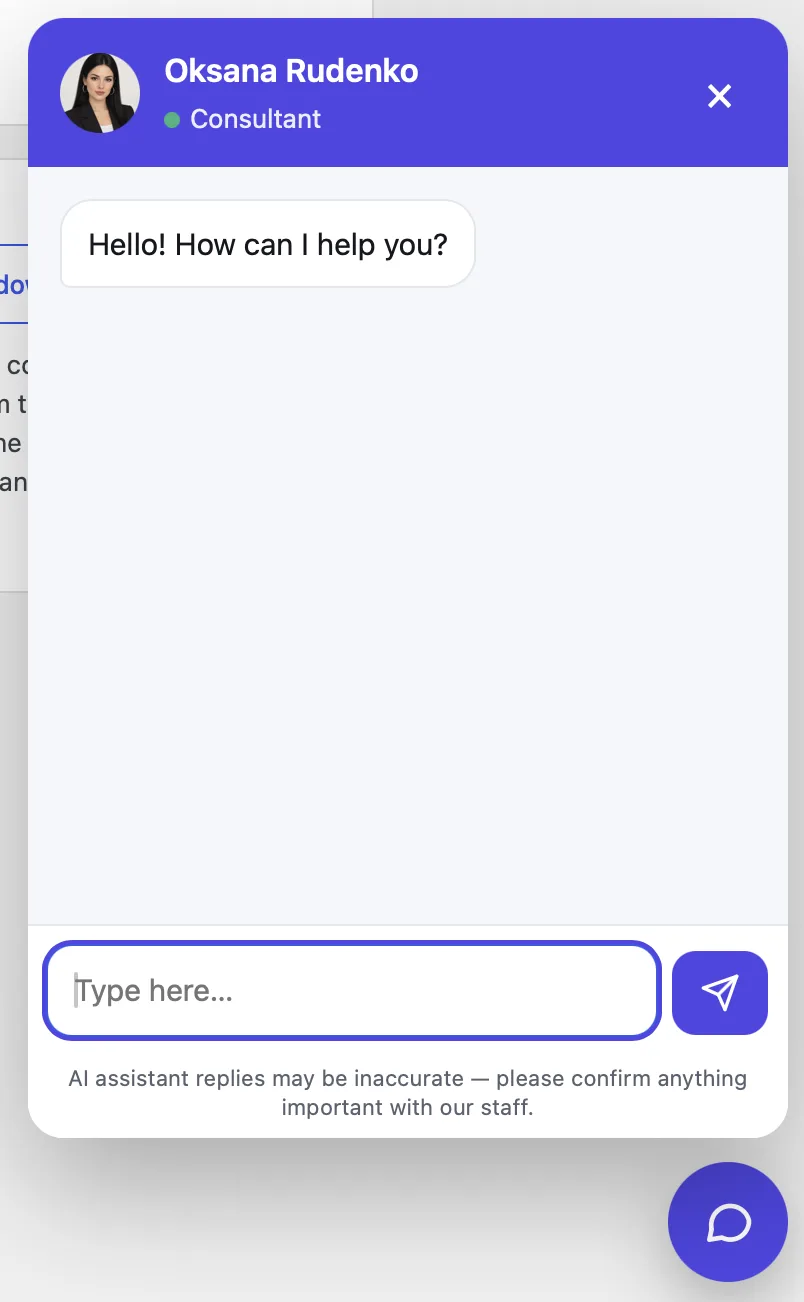
This is the real NeedToMe AI Chat: ask about the plugins or leave a development request. The chat button is in the bottom right corner.
What the chat does
- Answers from your facts. Prices, terms and timelines come from your knowledge base. If a fact is missing, the chat says it will check instead of inventing an answer.
- Knows your catalog. Picks WooCommerce products by exact characteristics — price, stock, attributes and variations — and links to them.
- Speaks the visitor’s language. The language is fixed or detected automatically from the URL prefix, a language subdomain, the page’s HTML lang or the browser.
- Collects leads. When a visitor wants to order or be called back, the chat asks for a name, phone or e-mail and sends the lead where it suits you: e-mail, Telegram, Slack, Microsoft Teams, Discord, Google Sheets, Notion, a CRM or a webhook for n8n, Make and Zapier.
- Answers in messengers too. The same consultant with the same knowledge base connects to Telegram, Facebook Messenger, Instagram Direct, WhatsApp Business and VK.
- Hands over to a person. Hard questions and warm customers are passed to you with the whole dialog.
- Protected. The chat is protected against prompt attacks and leaks of confidential data per OWASP and other security standards.
- Does not slow the site. The chat script loads after the page: at once, after a delay, on the first scroll or on interaction.
What you set in WordPress
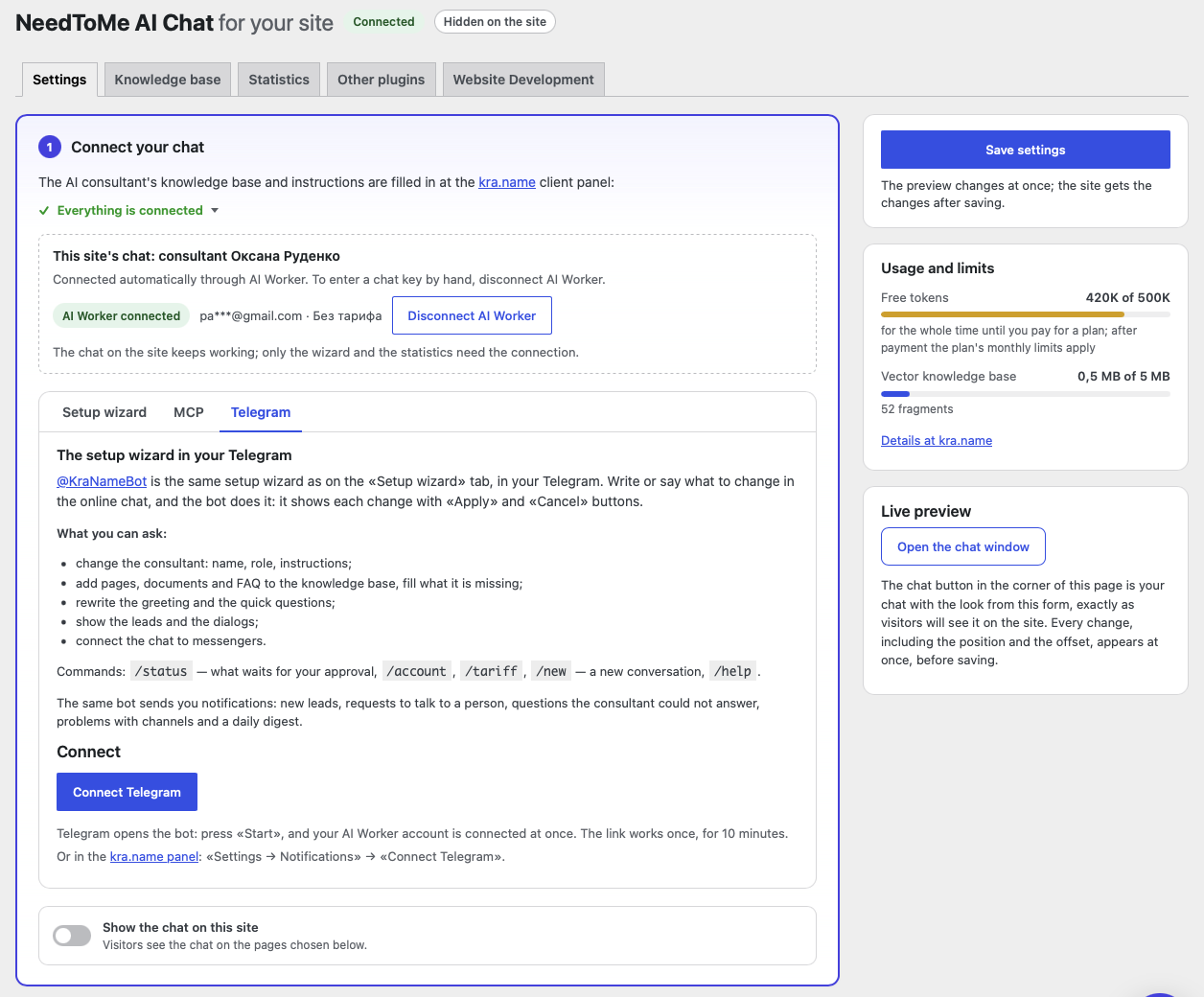
- One-button connection. «Choose the chat automatically» opens the kra.name sign-in in a popup; the chat key is filled in by itself and your domain is added to the chat’s allowed sites.
- A setup wizard in the admin. Write or dictate what to change: the consultant’s persona, the knowledge base, the greeting, the quick questions. The wizard shows each change and applies it after «Apply». The same works from ChatGPT, Claude or Codex over MCP and in Telegram with @KraNameBot.
- The consultant and the texts in every language — greeting, quick questions, name and captions — synced with kra.name: a change saved in the plugin is there at once, and the other way round.
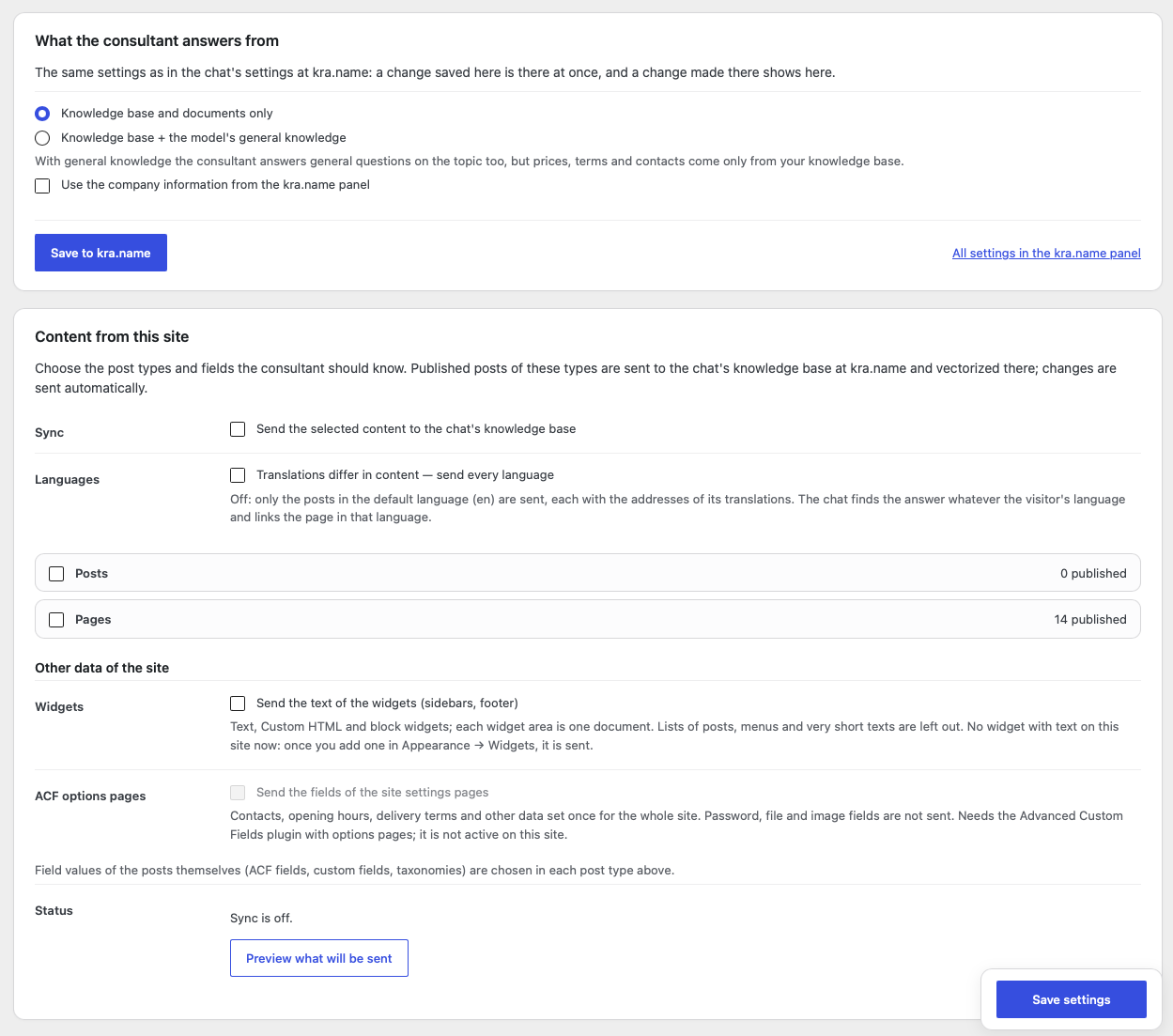
- A knowledge base from your site. Posts and pages of the chosen types with their fields (ACF, custom fields, taxonomies), text widgets, ACF options pages (contacts, opening hours, delivery terms) and the WooCommerce catalog — products with prices, stock, attributes and variations. Everything goes to the knowledge base and updates by itself when you edit the site, and stock and prices after every order. On a multilingual site (Polylang, WPML) translations are sent too, or as links to the right language.
- Sources and questions and answers right in the plugin. The Knowledge base tab lists every source of the consultant with its state; sites, pages, Google Docs and texts can be added, refreshed or deleted, and the questions and answers edited in place.
- Where leads go: e-mail, Telegram, Slack, Microsoft Teams, Discord, Google Sheets, Notion, a CRM or a webhook, with a delivery test.
- Look: theme, colour scheme (light, dim, dark or the visitor’s system setting), every colour of the window, the position and offset of the button.
- Loading mode, language and the pages where the chat appears; an inline chat inside a page block with the
[aiworker_chat]shortcode. - Voice input, dialog rating and a link to your privacy policy inside the chat.
- Token usage and limits, dialog and lead statistics, a live preview of the chat and a connection check that says what to fix.
Connect in five minutes
- Install the plugin from the ZIP file (Plugins → Add New → Upload Plugin) and activate it.
- Open NeedToMe → AI Chat and press «Choose the chat automatically». Sign in to kra.name or sign up — it is free.
- Choose the chat. If the account has only one, it connects by itself: the key is filled in and your domain is added to the chat’s allowed sites. No chat yet? Ask the setup wizard to create one.
- Choose what of the site goes to the knowledge base (posts, pages, products, widgets, ACF fields), add documents and questions and answers, choose the look and turn on «Show the chat on this site».
You can also connect by hand: paste the chat’s public wk_ key from its card at kra.name. The key only selects the chat and is not a secret; on domains that are not in the chat’s allowed sites the widget does not appear.
Price
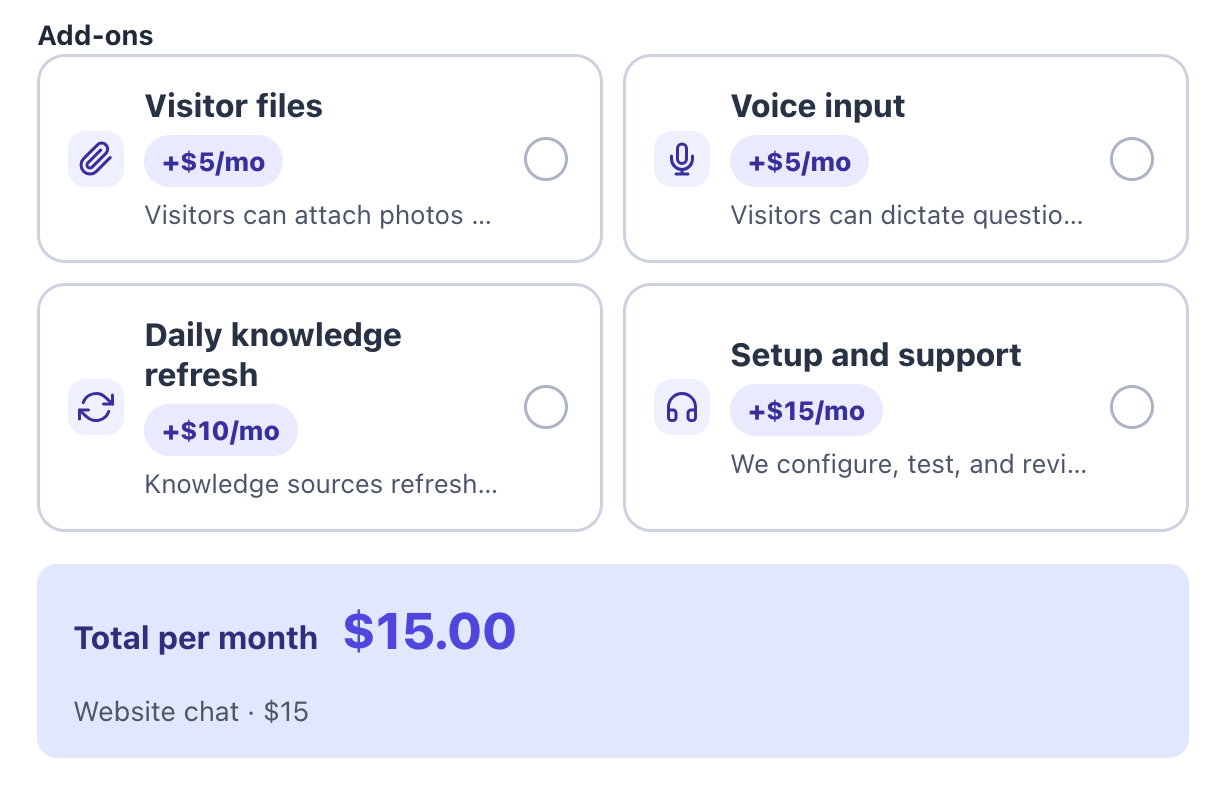
The plugin is free. The AI, the knowledge base and the dialogs run on kra.name: a website chat costs $15 a month and includes 20M tokens (about 3,400 replies), pre-moderation and hand-over to a person. There are no per-message fees. You can start for free: a new account gets 500K free tokens.
- Images and documents from visitors: +$5 a month.
- Voice input: +$5 a month.
- Daily knowledge base refresh: +$10 a month.
- Full setup and care by specialists: +$15 a month.
Screenshots
This is how NeedToMe AI Chat looks in the WordPress admin.